Hotel Guest Room Control Interfaces: Wall Panels, Touchscreens, Bedside Controls, and Mobile Control
Compare the roles of wall panels, touchscreens, bedside controls, thermostats, and mobile control, then plan how each interface should coordinate with the room control system.
Direct answer
How should a hotel choose guest room control interfaces?
Choose each interface by the guest task, room position, frequency of use, mounting condition, control path, and maintenance responsibility. Wall and bedside panels suit immediate actions, while touchscreens can group selected functions that benefit from visual context. A thermostat may retain a dedicated HVAC role. Every interface still needs a verified relationship with the RCU or other control hardware, wiring plan, fallback behavior, and commissioning scope.
Overview
This guide is designed for hotel owners, MEP contractors, system integrators, distributors, OEM/ODM buyers teams preparing early product selection, project quotation, and document review for hotel room control and automation projects.
What Is a Guest Room Control Interface?
A guest room control interface is the point where a guest or staff member gives a command, reviews a setting, or receives room-status feedback. It can be a familiar wall switch, a bedside panel, a touchscreen, a thermostat, or a mobile interface. The visible device is only one layer of the room design: the command still needs a defined destination, control path, and response.
Interface planning should start with guest tasks rather than display size or the number of buttons. List what a person must do at the entrance, bedside, desk, bathroom, and climate-control position. Then decide which actions need immediate physical access, which benefit from a visual menu, and which should remain available when a network or mobile service is unavailable.
This guide focuses on how different hotel guest room control interfaces divide responsibilities. It does not assume that one interface can replace every other device, or that every project includes an app, PMS, BMS, or third-party platform connection.
Main Types of Hotel Room Control Interfaces
Most projects use a combination of interfaces because different room positions and guest actions have different priorities. A fast lighting action near the door is not the same interaction as reviewing several scenes on a display, changing temperature at night, or operating selected functions from a phone.
Wall Switch Panels
Wall panels provide direct, visible control at predictable locations. They are well suited to lighting, master-off, curtains, do-not-disturb, make-up-room, and other functions that should be found without navigating a menu. Button count, icon clarity, backlight behavior, mounting format, finish, and the relationship to the selected controller should be reviewed together.
A project can use focused single-function panels or grouped scene panels. More keys are not automatically better: the layout should reflect the room workflow and avoid labels that are difficult for international guests to understand.
Touchscreens and AI Smart Displays
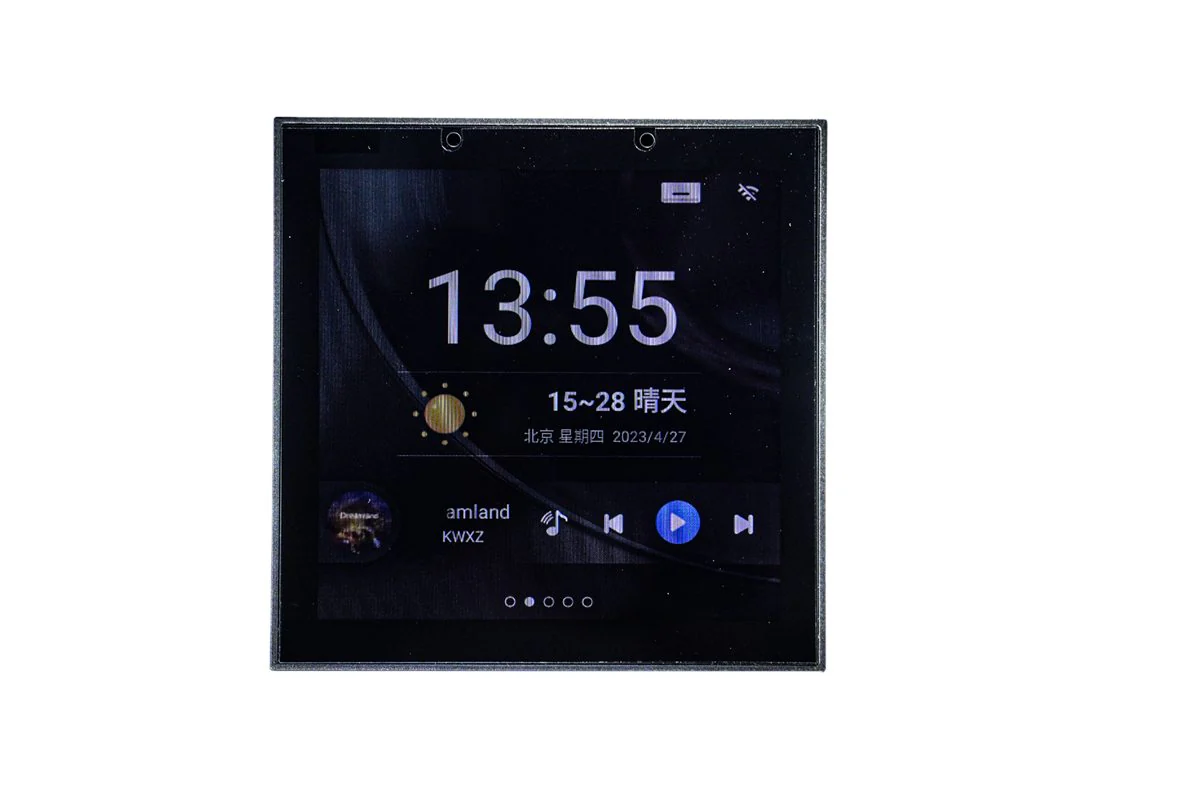
A touchscreen or smart display can organize several approved room functions in one visual interface. It may be useful where the project needs scene selection, status feedback, temperature access, music control, or a clearer hierarchy than a dense bank of physical keys can provide.
A display does not automatically replace every physical button. Entrance lighting, bedside master control, emergency-related actions, and functions required during a network interruption may still need dedicated controls. Exact functions, communication method, and integration boundaries must be confirmed for the selected product and project.
Bedside Control Interfaces
Bedside controls should prioritize actions a guest needs while resting: reading lights, selected scenes, master-off, curtains, and an accessible route to temperature control. Reach distance, tactile recognition, night visibility, and accidental operation matter as much as the number of available functions.
A bedside interface may be a dedicated panel, part of a coordinated switch family, or a selected screen position. The project should preserve simple, dependable actions instead of moving every command into a layered menu.
Thermostat and HVAC Control Panels
A thermostat gives guests a focused climate-control interface and can remain separate from lighting or scene controls. Whether it should be independent depends on the fan-coil or HVAC architecture, valve or actuator arrangement, sensing strategy, operating requirements, and maintenance responsibilities.
Temperature display, fan choices, mode access, occupancy behavior, and the boundary between the room controller and mechanical system must be reviewed with the HVAC designer. A visual match with the wall-panel family does not prove technical interchangeability.
Mobile and App-Based Control
Mobile control can offer an additional interaction path for selected projects, but it should not be described as a default feature of every room-control package. It may depend on a verified app, network design, guest-authentication flow, system integration, cybersecurity policy, support model, and product-specific capability.
The project should decide what happens when a guest does not install an app, declines permissions, loses connectivity, or checks out. Core room functions should still have an appropriate physical or local control path unless the approved operational brief states otherwise.
Related planning reference: 86 Type AI Smart Control Display, Smart Four Key Scene Control Panel, Thermostat HVAC Control Panel.
How These Interfaces Work with an RCU
An RCU commonly coordinates room-level inputs, outputs, and control logic. A wall panel, display, thermostat, sensor, or other interface can send a command or provide a status input, while the RCU or related control hardware manages the approved response. The exact architecture depends on the selected products, wiring strategy, room functions, and integration design.
The interface schedule should state what each command controls, where the logic resides, what feedback is expected, and what happens during a communication failure. It should also distinguish guest controls from sensors and controlled loads. These roles are related, but they are not interchangeable.
If an app, PMS, BMS, or another platform is required, define the data points, responsibility boundary, gateway or API requirement, commissioning owner, and fallback behavior. Support must be verified for the real products and project; an RCU label alone does not confirm compatibility with an external platform.
Related planning reference: Hotel Smart Room RCU Host 1, Hotel Guest Room Control Solution, Hotel RCU Wiring and System Architecture Guide.
Comparing Control Interfaces
Compare interfaces against the same room workflow, installation constraints, and service model. The matrix below describes typical planning roles rather than fixed product specifications. Cost impact depends on project scope, quantities, wiring, customization, integration, commissioning, and the final device schedule.
Ease of Use
Physical panels offer direct access and tactile familiarity. Touchscreens can organize more functions but require a clear information hierarchy. Mobile control adds flexibility for participating guests but cannot be the only usability plan unless the project has explicitly approved that operating model.
Installation and Wiring
Mounting boxes, cable routes, power supplies, network points, controller interfaces, and responsibility for final termination should be documented early. Renovation projects must survey existing wiring, wall boxes, loads, and control infrastructure before replacement products are selected.
Customization
Panels may require project-specific icons, labels, finishes, layouts, or branding, while displays may require an approved interface scope. Customization availability, sample process, tooling, minimum quantities, and lead time depend on the product series and project requirements.
Maintenance
Review replacement procedure, configuration backup, model continuity, cleaning, spare strategy, and fault isolation. A consolidated screen can reduce visible devices in one location, while distributed physical controls may make individual functions easier to identify and replace.
Guest Experience
A coherent room uses consistent names, icons, feedback, and scene behavior across every interface. The best experience is not the largest number of control points; it is a predictable path to the actions guests need at each position.
Project Cost Structure
Compare complete scopes rather than device labels. Hardware, installation, wiring, software, customization, gateways, commissioning, documentation, spares, and support can all affect the total project structure. No interface type is always the lowest-cost choice.
Wall panel
- Best for
- Direct lighting, scene, curtain, and service actions at fixed room positions.
- Main advantage
- Immediate physical access with a familiar interaction pattern.
- Main consideration
- Button layout, labeling, mounting, wiring, and controller relationship require coordination.
- Typical system role
- Primary local command point for frequently used room functions.
Touchscreen
- Best for
- Projects that need an organized visual interface for several approved functions.
- Main advantage
- Can present multiple controls and status information in a structured view.
- Main consideration
- Function scope, navigation, power, communication, and fallback controls must be confirmed.
- Typical system role
- Consolidated visual interface alongside selected physical controls.
Bedside control
- Best for
- Night-time access to reading lights, scenes, master-off, and curtains.
- Main advantage
- Places essential actions within comfortable reach of the guest.
- Main consideration
- Tactile clarity, night visibility, reach, and accidental operation need review.
- Typical system role
- Focused local control point for rest and sleep workflows.
Thermostat
- Best for
- Dedicated guest access to temperature and approved HVAC functions.
- Main advantage
- Keeps climate control visible and focused.
- Main consideration
- Compatibility depends on the real HVAC architecture and control method.
- Typical system role
- Guest interface between room operation and the specified HVAC controls.
Mobile control
- Best for
- Projects with a verified app, network, authentication, and support model.
- Main advantage
- Adds a personal interface for selected supported functions.
- Main consideration
- Not universal; privacy, connectivity, onboarding, fallback, and integration require approval.
- Typical system role
- Optional supplementary interface rather than an assumed replacement for local controls.
Recommended Interface Combinations by Hotel Type
Hotel category can guide the starting brief, but room type, brand standards, guest profile, operations, maintenance capability, and local engineering requirements decide the final combination. Treat these patterns as planning directions, not fixed packages.
Business Hotels
Prioritize clear entrance, desk, bedside, curtain, and thermostat controls with a short learning curve. A focused scene panel and dedicated climate interface may be more useful than adding a complex screen to every room without a defined guest task.
Luxury Hotels
Luxury rooms may combine coordinated wall panels, bedside controls, a visual interface, separate thermostat access, and selected service controls. The interface family should align visually, but every device still needs individual technical and maintenance approval.
Resorts
Resort layouts can include suites, villas, outdoor transitions, and varied occupancy patterns. Map controls by zone and guest journey, then decide where a central visual interface helps and where direct local controls remain more practical.
Serviced Apartments
Longer stays can increase the value of familiar, repeatable control and clear separation between room scenes and HVAC. Any mobile or central-platform connection should be evaluated against resident onboarding, account lifecycle, privacy, and support responsibilities.
Renovation Projects
Start with an onsite survey of wall boxes, existing wiring, loads, panels, controller hardware, HVAC, network access, and available installation space. A replacement interface must fit the actual infrastructure or be supported by a documented upgrade scope.
Related planning reference: Hotel Renovation Smart Room Upgrade Guide, Hotel Guest Room Automation Guide.
Wall Panels vs Touchscreens
Wall panels are strongest when a guest expects an immediate action in a fixed location. Touchscreens are strongest when several approved functions or status views need a clear visual hierarchy. A good design can use both: direct keys for high-frequency actions and a display for functions that benefit from context or grouping.
Do not decide by appearance alone. Compare required actions, failure behavior, electrical and network needs, mounting, language strategy, accessibility, cleaning, replacement, configuration, and staff support. A touchscreen is not inherently superior, and a physical panel is not inherently too basic.
Related planning reference: Hotel Smart Switch Panel Guide, Smart Panel Material and Finish Selection Guide.
Bedside Controls vs Mobile Control
A bedside panel is available immediately, stays with the room, and can support tactile use in low light. Mobile control can add convenience for a guest who chooses to use it, but it introduces device compatibility, connectivity, authentication, privacy, onboarding, and support considerations.
Use mobile control as a verified supplementary channel when it solves a defined project need. Keep essential sleep, lighting, curtain, and comfort actions accessible through an approved local interface. Mobile control does not automatically reduce installation or operating cost.
When a Thermostat Should Be Separate
A separate thermostat can be appropriate when climate control needs constant visibility, a dedicated sensor or operating mode, a clear mechanical-system boundary, or independent maintenance. Combining temperature access into a screen may be appropriate in another design, provided the HVAC interface, fallback behavior, sensing location, and guest workflow are verified.
Confirm the fan-coil or HVAC type, valve or actuator requirements, fan stages, supply, sensing strategy, setpoint policy, occupancy behavior, and ownership between controls and mechanical contractors. Specific electrical design and field wiring must be confirmed by qualified engineers using approved product documentation.
OEM/ODM Customization Considerations
A coordinated interface program may cover key layouts, icon language, panel finish, labeling, backlight direction, product-family consistency, packaging, and private-label requirements. The buyer should separate visual customization from electrical or firmware requirements so each request can be reviewed by the right technical owner.
Provide a room function matrix, marked layouts, finish references, quantities by model, target schedule, voltage, mounting constraints, and required approvals. OEM/ODM availability, tooling, samples, MOQ, fees, and lead time depend on the product series and project requirements; do not assume one rule applies to every device.
Related planning reference: OEM/ODM Smart Panel Customization Guide, OEM/ODM Custom Panel Solution.
Information to Prepare Before Requesting a Quote
Prepare the project country, hotel type, room count, room variants, construction stage, target delivery timing, room plans, reflected ceiling plans where relevant, wall-box information, voltage and frequency, control-function schedule, panel locations, HVAC description, curtain requirements, and any confirmed integration boundary.
List the interface required at each room position and identify mandatory functions separately from optional ideas. Include preferred product references only as a starting point. Ask for datasheets, installation drawings, sample options, and wiring diagrams by product and project request rather than assuming every document or function applies to the full range.
A clear package lets the supplier review display, panel, thermostat, and RCU relationships without inventing scope. Use the project inquiry form when the room schedule and interface priorities are ready for a product-selection discussion.
Related planning reference: Get a Project Quote, Download Center.
Common Selection Mistakes
Avoid choosing a touchscreen before defining the functions it must present, filling a bedside panel with rarely used keys, treating a matching finish as proof of electrical compatibility, or assuming mobile control is included without a verified app and integration scope. Do not compare quotes when one includes controller, software, commissioning, and customization while another lists only visible devices.
Other risks include ignoring low-light use, language and icon clarity, accessible mounting, network failure, replacement procedure, spare strategy, HVAC responsibility, and renovation constraints. Do not use conceptual system diagrams as field wiring instructions. Qualified engineers must confirm electrical design, installation, and compliance for the actual project location.
Guest Room Interface Planning Checklist
Confirm every guest task, room position, interface type, command destination, feedback requirement, controller relationship, HVAC boundary, mobile-control status, network dependency, fallback action, mounting condition, wiring route, finish direction, labeling, sample approval, commissioning owner, document requirement, spare plan, and maintenance procedure.
Review the complete schedule with the hotel operator, interior designer, MEP team, controls integrator, HVAC contractor, and supplier. The result should explain why each interface exists and how it supports the guest journey, rather than presenting a collection of disconnected devices.
Conclusion: Build a Layered Interface Plan
A practical hotel room rarely needs one interface to do everything. Wall and bedside panels can keep frequent actions immediate, touchscreens can organize selected visual functions, thermostats can preserve a clear HVAC role, and mobile control can supplement the room when the project has a verified platform and support model.
Define the guest tasks first, then coordinate interfaces with the RCU, wiring, HVAC, network, operations, and maintenance plan. Share the room schedule, interface priorities, quantities, drawings, and confirmed integration needs to review suitable products and prepare a project-specific quotation.
Safe B2B scope
- Supports B2B hotel project inquiries.
- Product selection support is available for hotel owners, contractors, system integrators, distributors, and OEM/ODM buyers.
- Documents can be reviewed by product and project request.
- Voltage and protocol requirements should be confirmed by project.
- OEM/ODM customization is available depending on product series and project requirements.
- Regular products have no fixed MOQ.
- Typical lead time is 7-15 days depending on product and order requirements.
Product discovery
Recommended Products
Review a focused set of products that relates to the planning topics in this guide. Final selection should be confirmed against project wiring, voltage, protocol, and room-function requirements.
Product
86 Type AI Smart Control Display
Visual guest room interface for reviewing selected control functions in an approved project scope.
View Product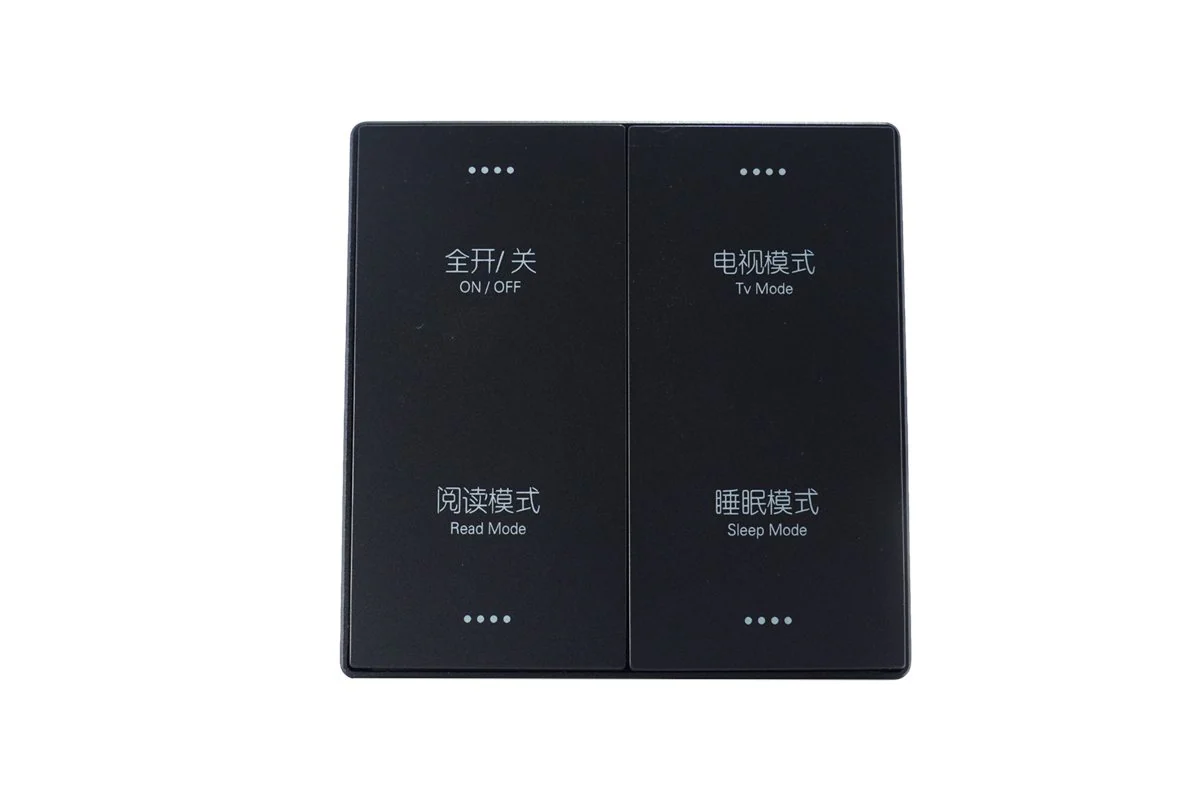
Product
Smart Four Key Scene Control Panel
Physical wall panel for direct access to selected room scenes and control actions.
View Product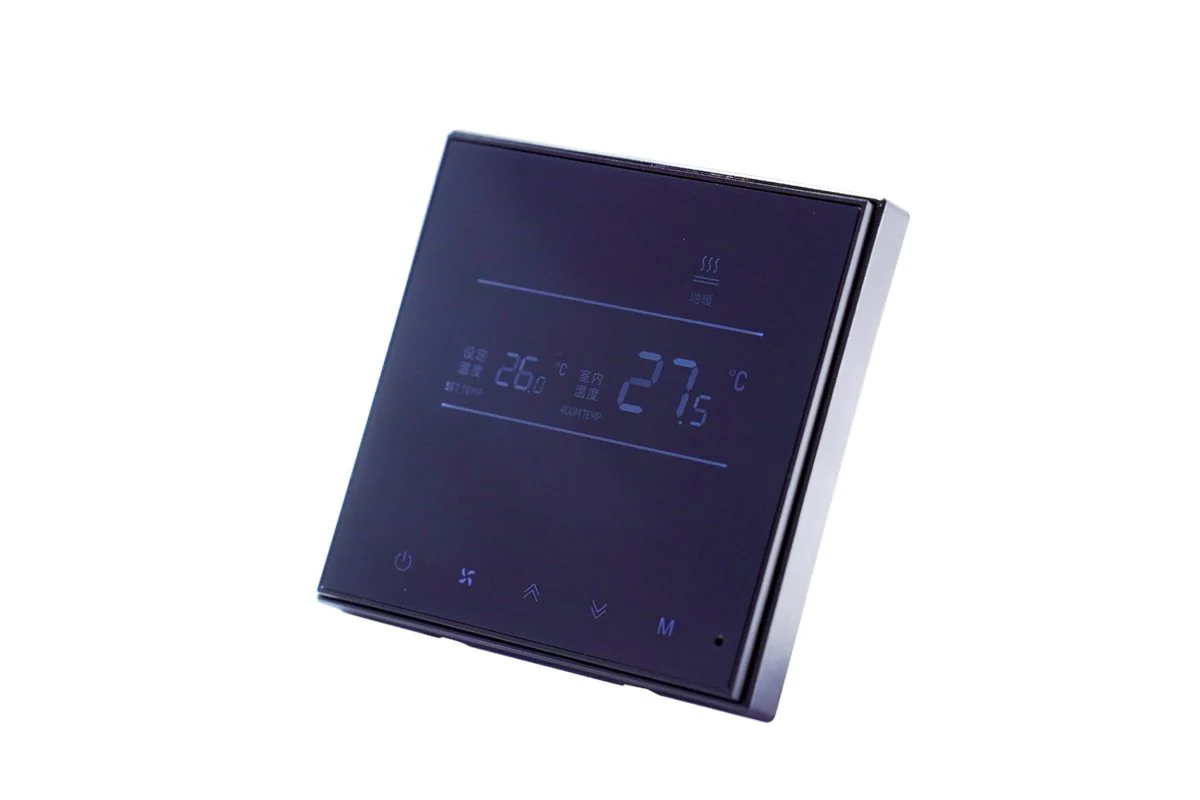
Product
Thermostat HVAC Control Panel
Dedicated climate interface for project-specific HVAC control planning and confirmation.
View Product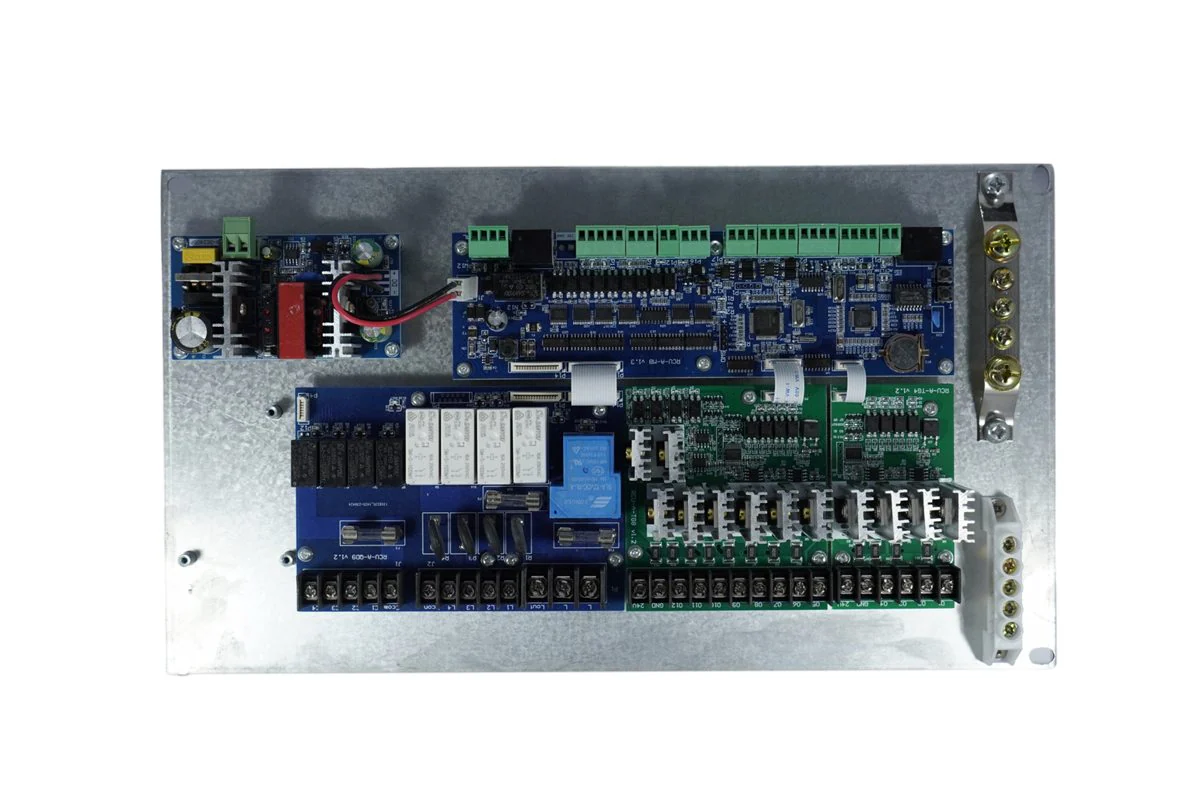
Product
Hotel Smart Room RCU Host 1
Room control host reference for coordinating approved guest interface and equipment functions.
View ProductProject planning
Relevant Solutions
Solution
Hotel Guest Room Control Solution
Coordinate guest-facing interfaces with room control, lighting, HVAC, curtains, status, and power functions.
View SolutionSolution
Smart Hotel Automation Solution
Review wider room automation workflows and verified system boundaries for a hotel project.
View SolutionResource library
Continue Reading
Hotel Smart Switch Panel Guide
A focused guide to smart switch panel selection for hotel rooms, including appearance, functions, wiring review, OEM/ODM needs, and inquiry preparation.
Read GuideSmart Hotel Room Control System Guide
A practical guide for planning smart hotel room control systems across guest experience, device selection, integration, and quotation preparation.
Read GuideHotel Guest Room Automation Guide
A project planning guide for hotel guest room automation, covering control functions, devices, application scenarios, documents, and inquiry preparation.
Read GuideProject inquiry
Need help selecting a hotel control solution?
Tell us your hotel type, room count, target market, and required functions. We can recommend suitable control architecture, products, and OEM/ODM options for your project.
- OEM/ODM support by product series and project requirements.
- RCU and smart panel product selection support.